Analytical capabilities

Multiple analytical dimensions
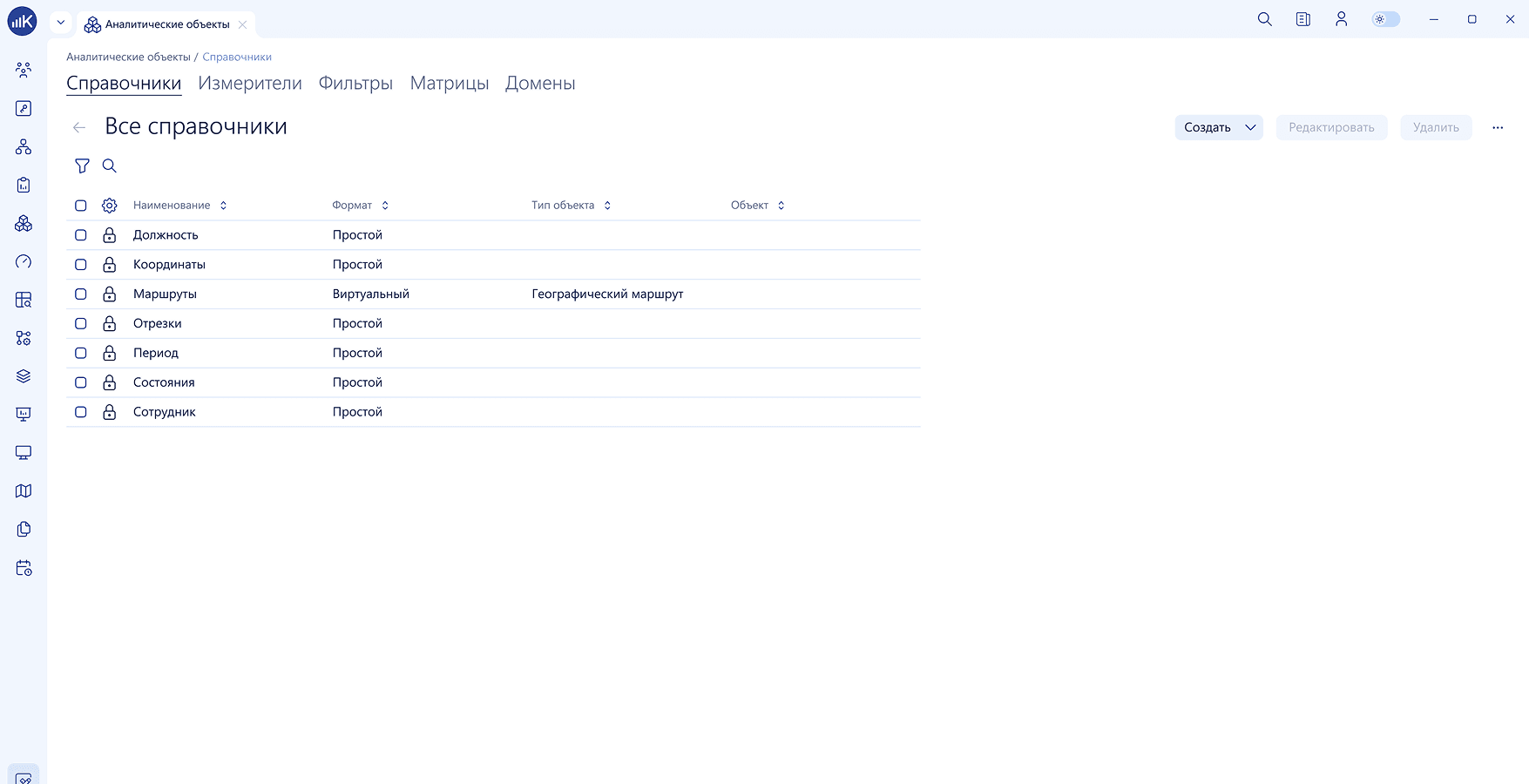
These capabilities provide a unified system of company analytics and unlimited possibilities for subsequent analysis.
These capabilities provide a unified system of company analytics and unlimited possibilities for subsequent analysis.
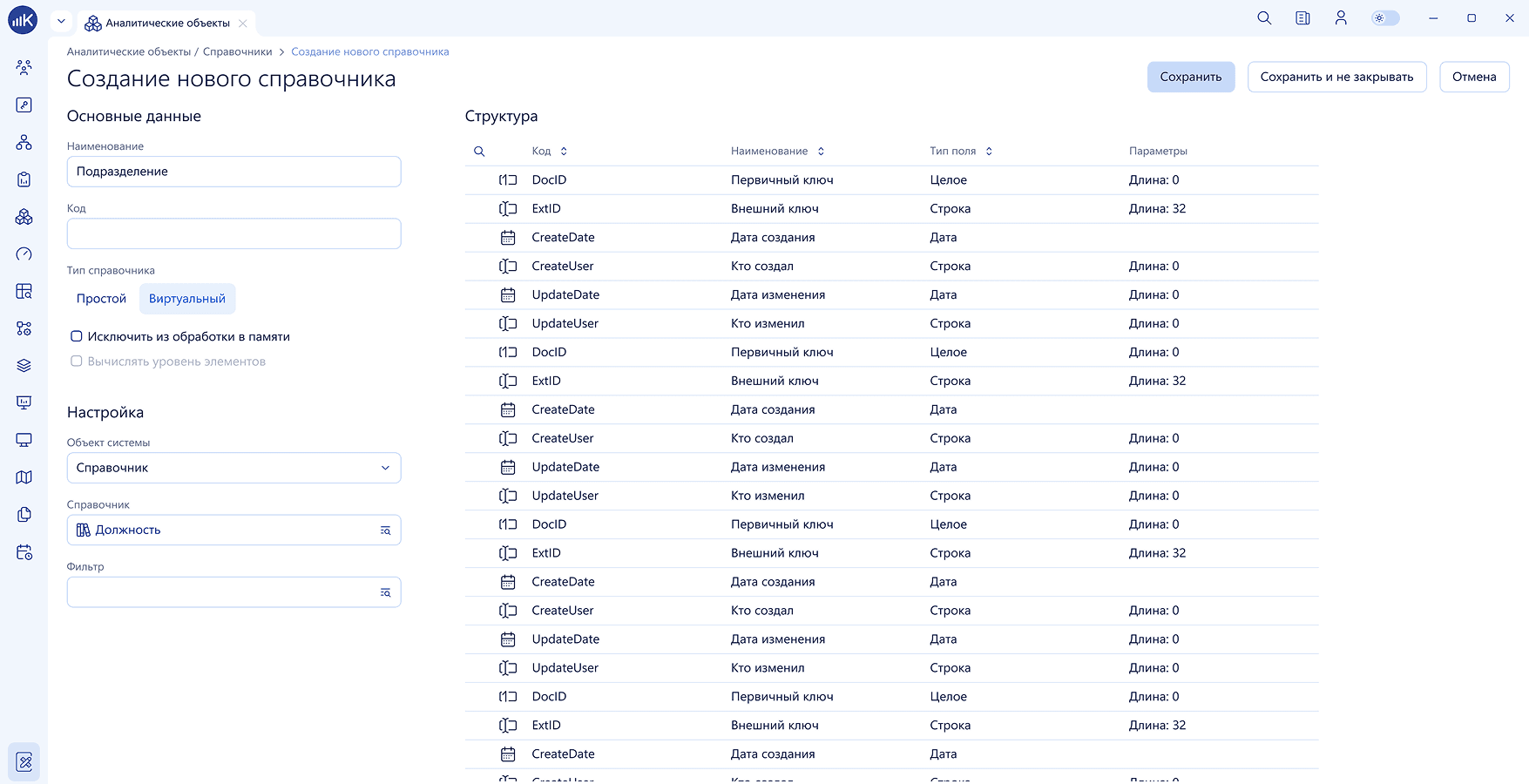
KPI MONITOR supports the addition of an arbitrary number of analytical dimensions (reference books), as well as their automatic synchronization with the corporate information system.
KPI MONITOR supports the addition of an arbitrary number of analytical dimensions (reference books), as well as their automatic synchronization with the corporate information system.
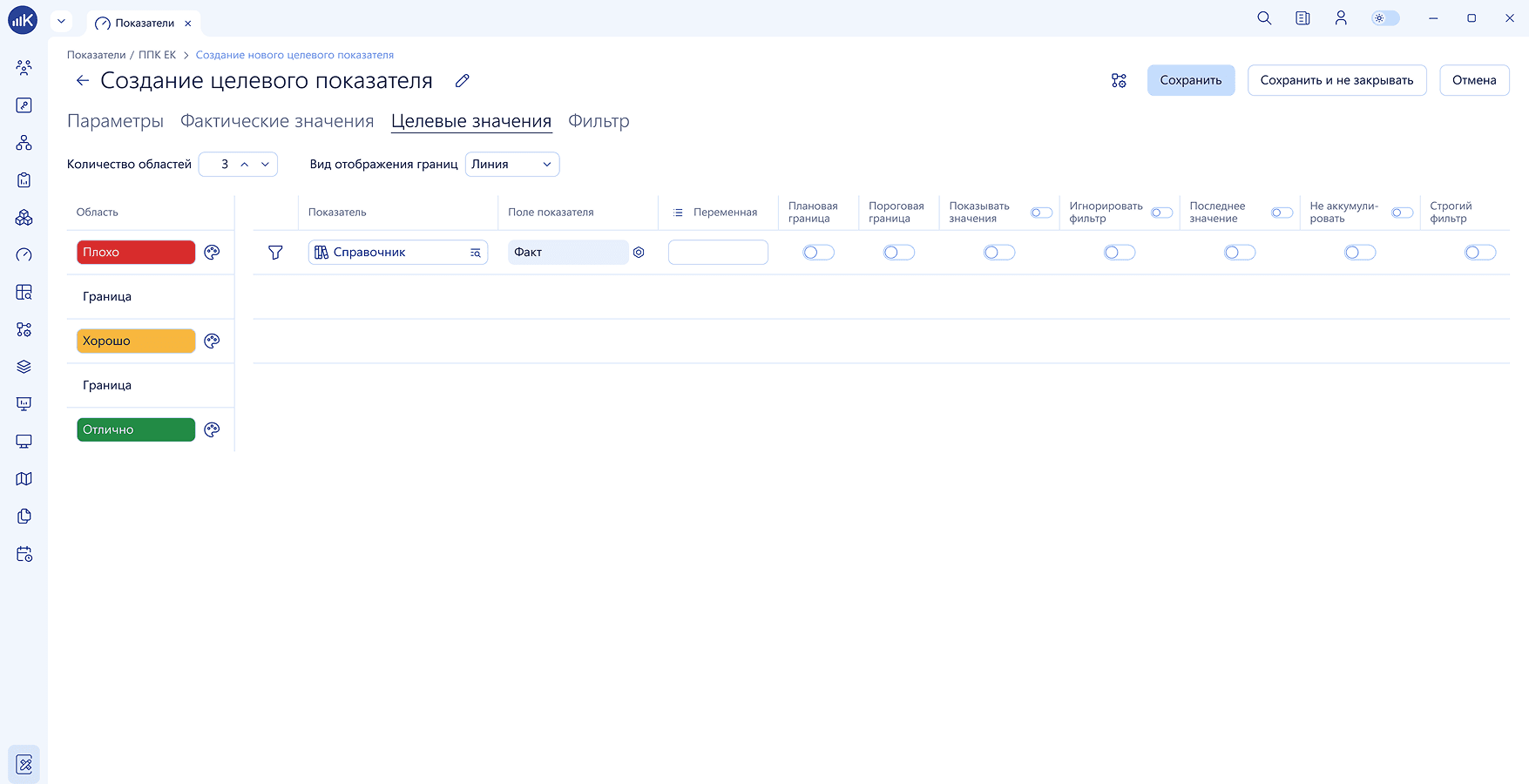
KPI MONITOR technology provides for the import and storage of target and actual values of indicators in relation to analytical reference books.
KPI MONITOR technology provides for the import and storage of target and actual values of indicators in relation to analytical reference books.
These capabilities provide a unified system of company analytics and unlimited possibilities for subsequent analysis.
These capabilities provide a unified system of company analytics and unlimited possibilities for subsequent analysis.
KPI MONITOR supports the addition of an arbitrary number of analytical dimensions (reference books), as well as their automatic synchronization with the corporate information system.
KPI MONITOR supports the addition of an arbitrary number of analytical dimensions (reference books), as well as their automatic synchronization with the corporate information system.
Multidimensional analytics
Data drill-down
User-specific filters
The system implements custom filters/restrictions based on analytical dimensions, configured within individual user profiles. For example, by applying a filter to the "department" directory in relevant employees' profiles, their visibility of all company indicators will be limited to data pertaining to their specific department. Thus, when creating a single indicator reflecting budget line performance, each employee sees values refined exclusively within the context of their own department or their assigned budget lines.
The system implements custom filters/restrictions based on analytical dimensions, configured within individual user profiles. For example, by applying a filter to the "department" directory in relevant employees' profiles, their visibility of all company indicators will be limited to data pertaining to their specific department. Thus, when creating a single indicator reflecting budget line performance, each employee sees values refined exclusively within the context of their own department or their assigned budget lines.
Refinement
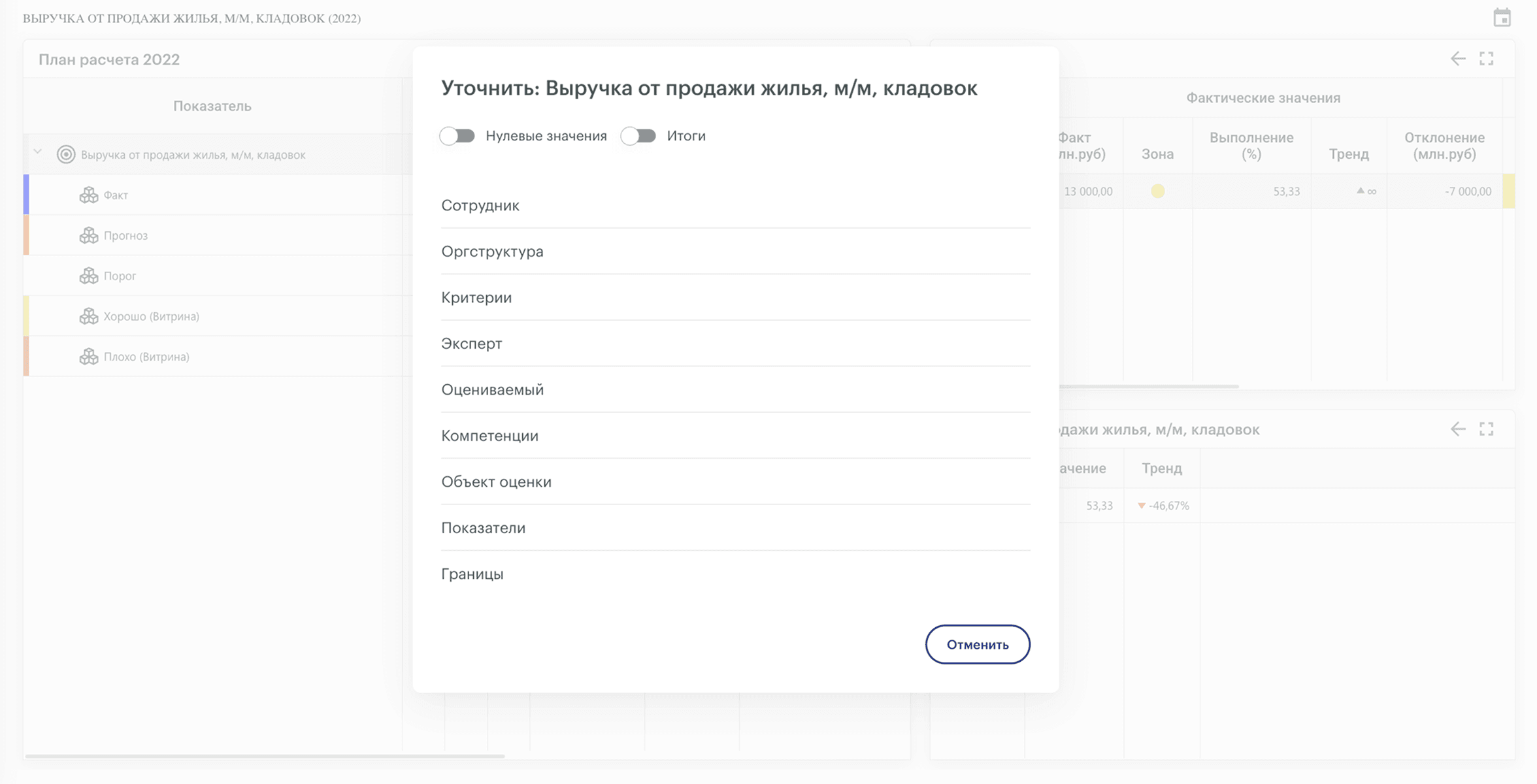
KPI MONITOR enables interactive refinement of indicator values across any analytical dimensions. This is achieved by applying various filters to analytical reference values.
Additionally, with a single click on an indicator, users can navigate to the source report, gaining access to comprehensive detailed information about the indicator values, related subordinate indicators, and trends.
KPI MONITOR enables interactive refinement of indicator values across any analytical dimensions. This is achieved by applying various filters to analytical reference values.
Additionally, with a single click on an indicator, users can navigate to the source report, gaining access to comprehensive detailed information about the indicator values, related subordinate indicators, and trends.
Tooltip
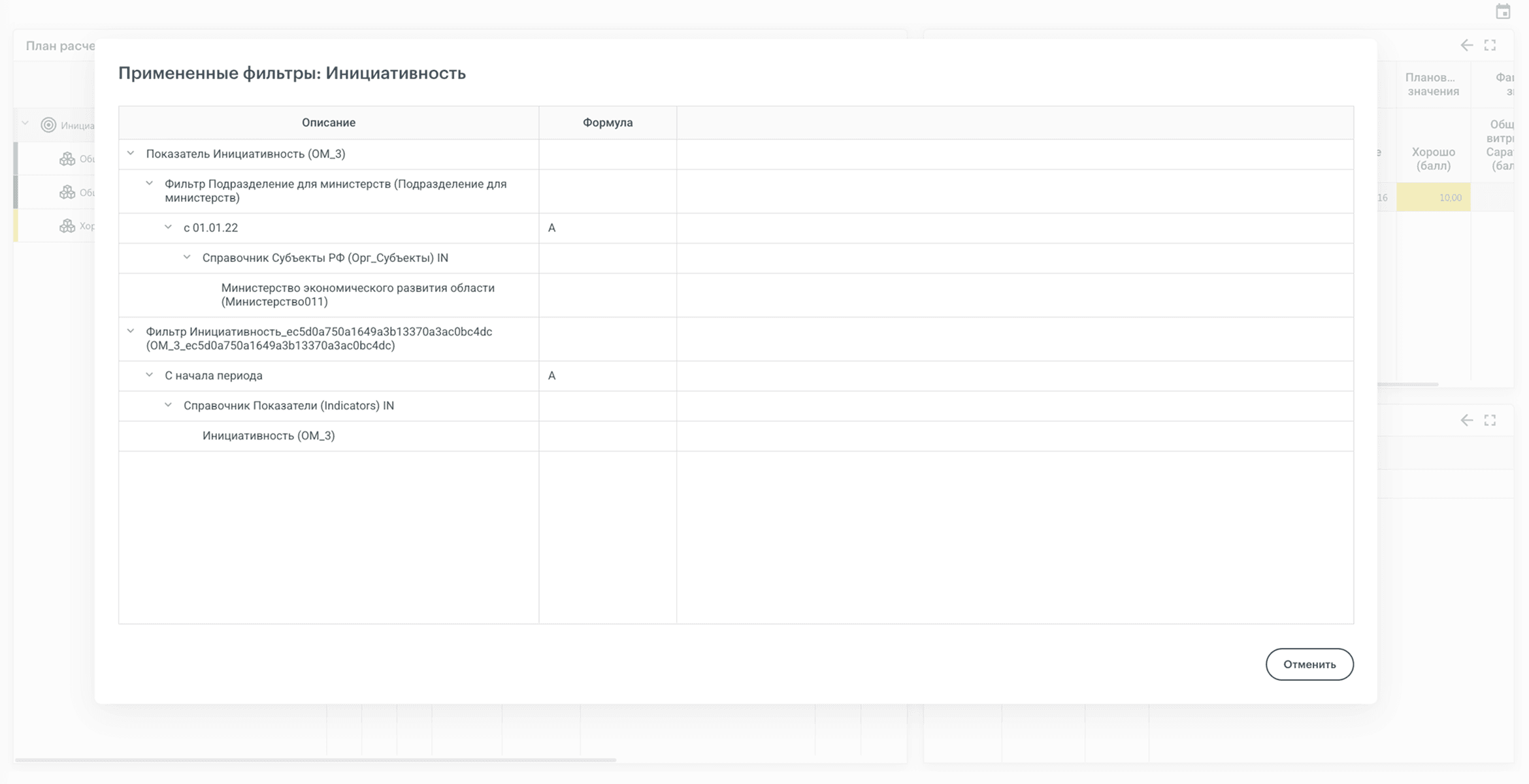
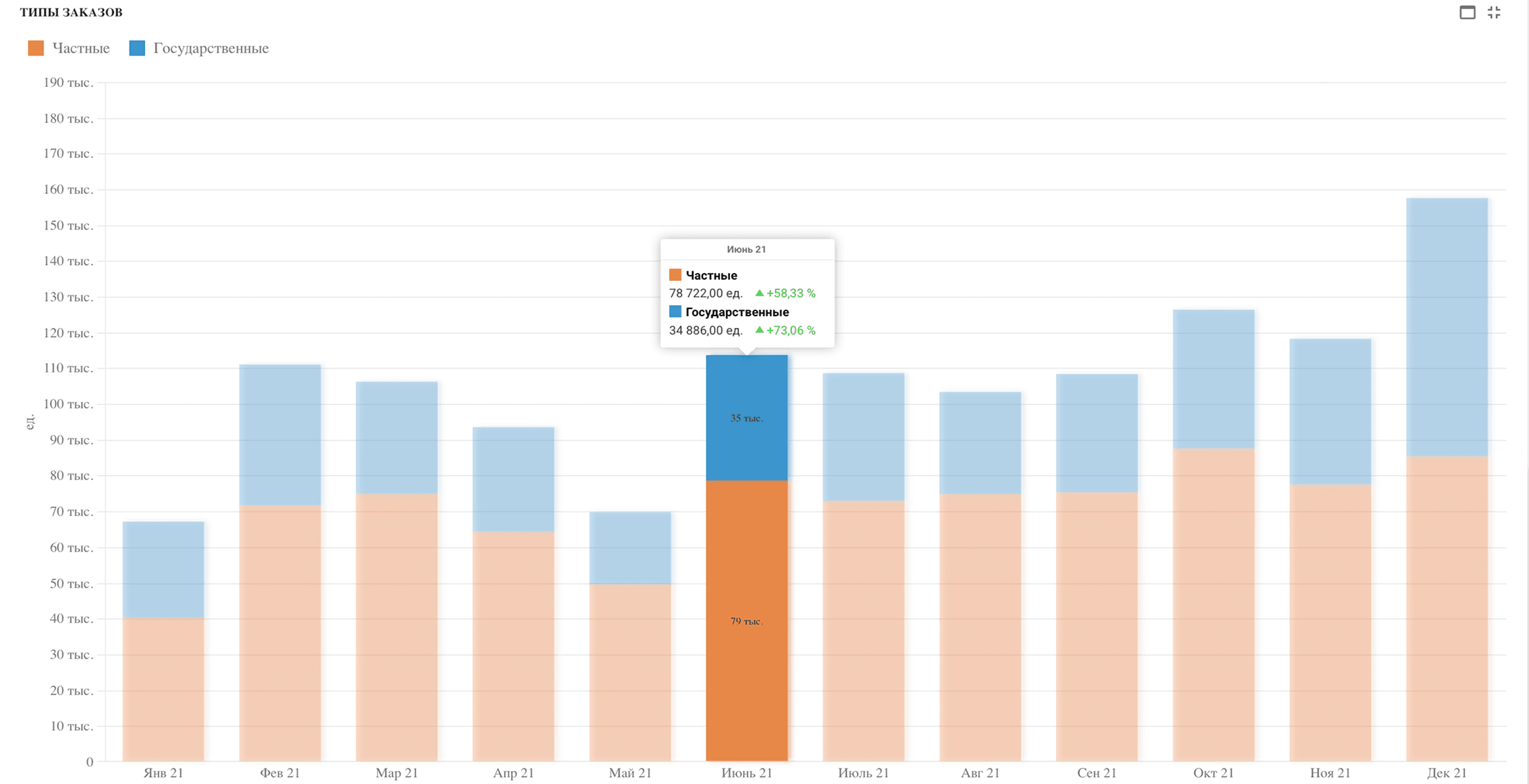
The tooltip system allows users to quickly identify the responsible party for a specific metric and its calculation method. This means users can not only view the resulting values of a metric but also understand the algorithm used for its calculation, which indicators are involved in the computation, what filters are applied, and other relevant details.
The tooltip system allows users to quickly identify the responsible party for a specific metric and its calculation method. This means users can not only view the resulting values of a metric but also understand the algorithm used for its calculation, which indicators are involved in the computation, what filters are applied, and other relevant details.
User-specific filters
The system implements custom filters/restrictions based on analytical dimensions, configured within individual user profiles. For example, by applying a filter to the "department" directory in relevant employees' profiles, their visibility of all company indicators will be limited to data pertaining to their specific department. Thus, when creating a single indicator reflecting budget line performance, each employee sees values refined exclusively within the context of their own department or their assigned budget lines.
The system implements custom filters/restrictions based on analytical dimensions, configured within individual user profiles. For example, by applying a filter to the "department" directory in relevant employees' profiles, their visibility of all company indicators will be limited to data pertaining to their specific department. Thus, when creating a single indicator reflecting budget line performance, each employee sees values refined exclusively within the context of their own department or their assigned budget lines.
Refinement
KPI MONITOR enables interactive refinement of indicator values across any analytical dimensions. This is achieved by applying various filters to analytical reference values.
Additionally, with a single click on an indicator, users can navigate to the source report, gaining access to comprehensive detailed information about the indicator values, related subordinate indicators, and trends.
KPI MONITOR enables interactive refinement of indicator values across any analytical dimensions. This is achieved by applying various filters to analytical reference values.
Additionally, with a single click on an indicator, users can navigate to the source report, gaining access to comprehensive detailed information about the indicator values, related subordinate indicators, and trends.